Microsoft Access runtime error 49 bad DLL calling convention typically occurs when there is a mismatch in the calling convention between a DLL (Dynamic Link Library) and the app calling it. This warning message can interrupt the normal functioning of Access software, leading to frustration for users. Therefore, it is necessary to address this problem to maintain the stability of the Access database.
Fix Access Errors
Decoding Access Database Unexpected Error 35012: What You Need to Know!
When trying to import Forms, Tables, Reports, and Queries from the older version of the Access database to the newer version, you may encounter “unexpected error 35012.” It indicates a disruption in the normal functioning of the database. In this blog, we delve into the depths of the Access database unexpected error 35012, exploring its causes, and how to troubleshoot it successfully.
Your Troubles End Here: Fix Too Many Fields Defined Access Error!
In the world of databases, encountering Access errors can be a roadblock that disturbs the entire workflow. One such error that often encountered by users is “Run-time error 3190: Too many fields defined.” In this article, I will explore the details of this error, understand its major factors, and provide effective solutions to resolve it.
Here is the real interface of this error:
Query Nightmare? Fixing “Error 3340: Access Query Is Corrupt” Like a Pro!
Runtime error 3340: Access Query is corrupt is a common issue in the Access databases that display when trying to run a query or update a query in a VBA code. This warning message can lead to significant disturbances in database functionality. Well, in this blog, I will explore the intricacies of this runtime error, discover its causes, & provide practical fixes to troubleshoot the MS Access query corruption 3340 error.
Unlocking Secrets: MS Access Error 3259 – Invalid Field Data Type!
Imagine you are working diligently on one of your important Access databases, and suddenly a warning pops up – Error 3259 – “Invalid Field Data Type.” However, this cryptic message can leave you scratching your head. Therefore, in this exclusive blog, I will unravel the mysteries behind the run-time error 3259 invalid field data type, common causes, and how to overcome it with confidence.
Ending the Nightmare: Microsoft Access Could Not Lock File Demystified!
Encountered a dreaded error message “Microsoft Access could not lock file” when trying to lock your Access database (.mdb or .accdb) file? Don’t worry, I am here to help you to overcome this frustrating situation. This blog describes the possible causes and a few workable solutions to solve this warning in a hassle-free manner.
Last Stop: Resolve Access the Last Time You Opened It Caused A Serious Error
Just imagine, you are trying to access an important Access database (.accdb or .mdb) file, and suddenly, a warning pops up that the last time you opened it caused a serious error. Frustrating, right? Don’t fret, as I am here to guide you on how to deal with this mystifying situation.
Uncover Solutions: Fix ‘Your Microsoft Access Database Contains Missing Broken Reference’ Error
In today’s digital era, a well-functioning Access database is the backbone of various organizations, dealing with massive amounts of data. However, users may experience the error message “your Microsoft Access database contains missing broken reference …” The error is quite annoying as it restricts you from accessing your database. Here’s the complete error message along with the real screenshot:
Mastering MS Access: Fix File Sharing Lock Count Exceeded (Error 3052) Like a Pro!
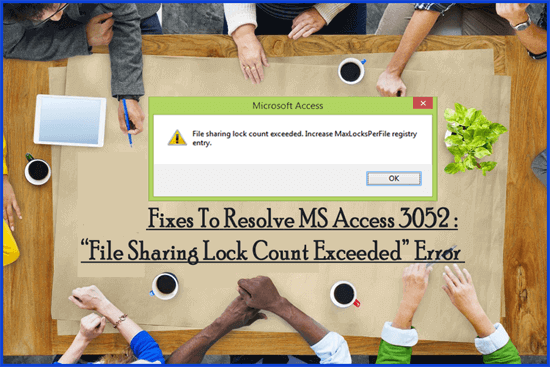
In the world of MS Access databases, users often try to share numerous files concurrently. However, when the limit of file sharing exceeds, they can encounter the dreaded error message – “file sharing lock count exceeded. Increase MaxLocksPerFile registry entry.”
Cracking 3011 Code: Fix “The Microsoft Access Database Engine Could Not Find the Object” Error
Imagine you are working on one of your important Access databases, and suddenly, a warning message appears on a PC screen: “The Microsoft Access database engine could not find the object MSysDb.” Frustrating right? Don’t fret, in this blog, we will unravel the mysteries behind this trappable Microsoft Jet error, and guide you through the troubleshooting methods to resolve it.