When working with Access databases, encountering errors isn’t uncommon. One such infuriating error that users face is Access join expression not supported. It occurs when the database engine meets difficulties in processing the join expressions within queries. However, this message can interrupt the entire workflow & obstruct data retrieval processes.
Fix Access Errors
Discover the Fixes: Hyperlink Not Working in Access Resolved!
Hyperlinks in MS Access play a vital role in enhancing the functionality of the database & user experience by providing quick access to relevant information. However, facing issues like hyperlink not working in Access while dealing with the database can be annoying for users & hinder efficient data navigation. Well, in this blog, I will explore the root causes, and provide workable solutions to fix the Access hyperlink doesn’t work problem effectively.
Fixing MS Access “Run Time Error 94 Invalid Use Of Null”– 5 Easy Ways!

Facing run-time errors in the meanwhile handling the Access database can be distressing, especially when dealing with complex VBA code structures. The run time error 94 invalid use of null Access is one such message that often perplexes users. It typically occurs due to missing value in a field, partial installation, or corrupt download of the Microsoft Access software, etc.
Crack the Error 3045: Fixing Access ‘Could Not Use File Already in Use’ in Seconds!
The error “could not use file already in use” occurs when trying to open or modify the Access database file that is stored over the server. This error simply means that the file is already in use by another user. Although this warning message often left users scratching their heads, wondering how to troubleshoot this annoying roadblock.
Fixing Microsoft Access Can’t Save The Output Data to The File You’ve Selected. (Error 2302)
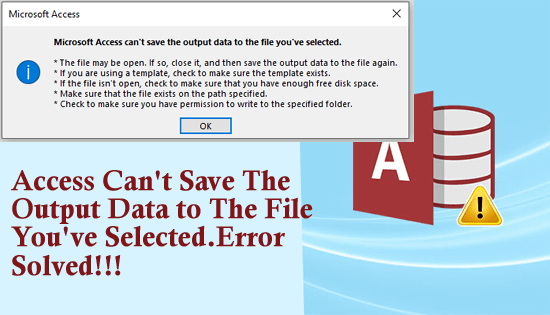
While handling Microsoft Access databases, users often encounter perplexing issues that disturb their workflow. One such error that users are recently experiencing and reporting is- “Microsoft Access can’t save the output data to the file you’ve selected.” This cryptic message appears when Access encounters difficulties saving data to a specified file. Various reasons can contribute to this error.
Crack the Code 3049: Fix Access Cannot Open Database It May Not Be a Database!
Imagine you are trying to create new records in the Access database or run an action query, and suddenly, you are struck with the warning “Microsoft Access cannot open database it may not be a database. (Error 3049).” It might trigger due to various reasons like database corruption, invalid backup to restore the DB, etc. When this critical error occurs, it disrupts the entire workflow. But don’t fret, this blog will help you to overcome this frustrating situation.
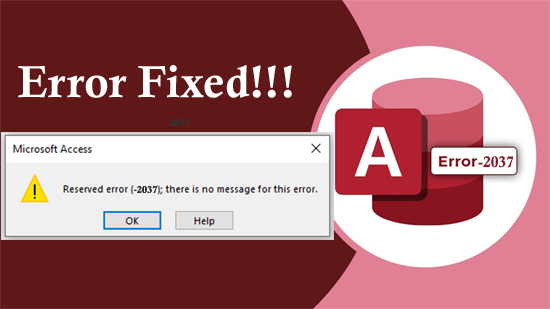
Access Error 3146 ODBC Call Failed- Top 11 Fixes You Need to Know!

The MS Access error 3146 ODBC call failed displays as a result of a faulty network connection. It occurs within the Access when setting up the associated database on an additional PC. This runtime error typically stipulates that there was a problem with an ODBC connection or an SQL query being performed. However, the most important thing is how to fix it.
Error Solved- Microsoft Access Cannot Find the Referenced Form (Error 2450)
Microsoft Access relies on forms, which assist as a user-friendly interface to interact with databases. But sometimes, the software fails to find a referenced form in the database, it displays a Microsoft Access cannot find the referenced form error that disrupts the functionality of the database. Thus, if you are facing this warning message, then don’t fret, you are in the correct place.
Solve Microsoft Access Can’t Append All the Records in The Append Query- Don’t Skip!
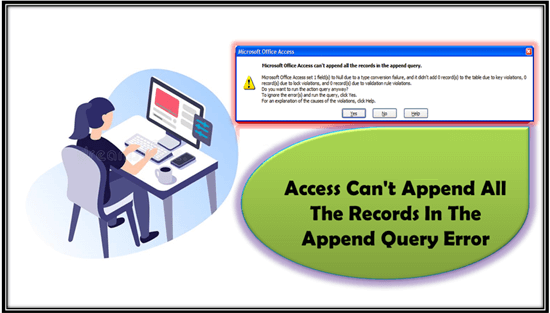
Microsoft Access allows users to create robust databases & perform queries seamlessly. But sometimes when users try to run the append query in the database they encounter a peculiar warning message- “Microsoft Access can’t append all the records in the append query.” In this blog, we will delve into every aspect of this error, its causes, and effective workarounds to address it.