
In this blog, we are going to deal with a hectic problem that is- MS Access Linked Table Manager not working. This issue is often encountered by users when they try to export a list of linked tables to other sources like Excel applications. However, Access linked table manager greyed out or not working is an annoying problem hence, it should be fixed ASAP.
Fix Access Errors
MS Access Update Query Not Working Issue – How to Fix It!

Microsoft Access users often update their data in the queries and forms of databases. But sometimes, users fail to update query in Access from another table for unexpected reasons. This can be frustrating and it is vital to understand why MS Access update query not working and how to fix this issue to maintain the integrity & efficiency of your database acts. All the crucial information about this problem is covered in this post.
MS Access Macro Single Step Error 2001: 6 Quick Troubleshooting Tips

MS Access is an outstanding software that allows users to create and manage databases with ease. One of the key features that make Access so versatile is its ability to automate tasks through macros. Sometimes, when using VBA codes or Autoexec macro to create a directory in the database, it shows MS Access macro single step error 2001.
How to Fix MS Access External Table Is Not in The Expected Format (Error 3274)?

MS Access external table is not in the expected format (error 3274) can be a real nuisance for anyone working with Access databases. This warning message pops up when importing data from other external sources like Excel. However, it is vital to understand the causes and resolutions of this error to maintain the integrity & functionality of your database.
Fixed- MS Access Run Time Error 3061: Too Few Parameters. Expected 1

Have you ever been deep into coding, running a query or SQL statement, and suddenly encountering the dreaded “Run time error 3061: Too few parameters. Expected 1“? It’s frustrating, isn’t it? But no need to worry, you’re not alone. Many users are facing the same problem. Understanding this irritating error, and knowing how to troubleshoot it can save you hours of headaches. Well, this exhaustive guide will assist you in fixing MS Access error 3061 in no time and keep your code running smoothly.
Troubleshooting Guide for Microsoft Access Error 32570
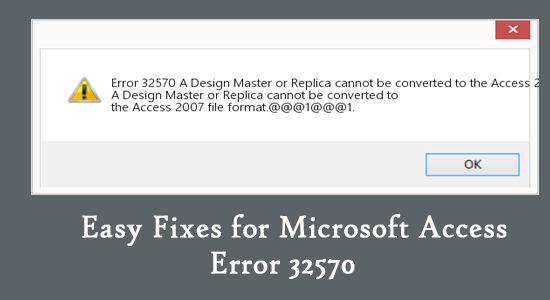
An error message “A Design Master or Replica cannot be converted to the Access 2007 file format…” typically indicates an issue with a network connection, corruption in the Access database file, or problems with the system’s configuration. Encountering this cryptic error can be annoying for users & hinder efficient data navigation. Thus, if you are one such user facing the same problem, don’t fret, we are here to guide you on how to fix Microsoft Access error 32570 through troubleshooting steps.
How to Fix Access “Error Accessing File. Network Connection May Have Been Lost”?

While handling Access databases, users often encounter frustrating situations where they can’t access their DB file properly or run VBA code. One such warning message is “Error accessing file. Network connection may have been lost.” The error message typically indicates a problem with network connectivity or file permissions.
5 Hasty Methods to Fix Type Conversion Failure in Access Error!
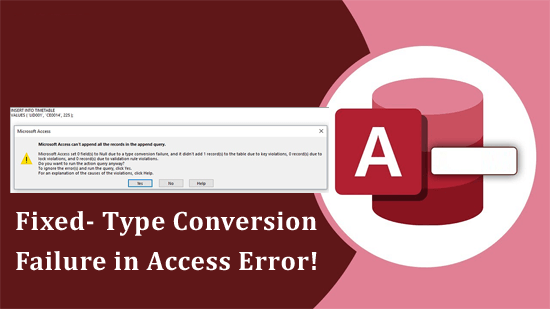
Type conversion failure in Access error typically occurs when the data type of a value does not match the expected data type for an operation, field, or expression. This vexing error may disrupt your workflow and ruin your database experience. In this blog, I will show you how to fix the Microsoft Access type_conversion_failed error with less effort. Likewise, I’ll discuss the insights of this error along with its common causes.
5 Ways for Runtime Error 3218 Could Not Update Currently Locked by User!

The error message “Could not update currently locked by user ‘admin’ on machine” typically occurs in a shared Access database when a record or file is locked by one process and another process attempts to access or update it. This locking mechanism is intended to prevent data corruption & ensure consistency by allowing only one process to modify a record or file at a time.
Solved- Microsoft Access Can’t Open the Table in Datasheet View (Error 2364)

Microsoft Access is generally used for maintaining the record, tracking inventory, or managing tables. For easy handling of Access database tables, there are two types of table views offered- one is “Datasheet View” & another is “Design View”. Sometimes, you may face a frustrating message “Microsoft Access can’t open the table in datasheet view error 2364.” It can stop processes within the Access application and hinder efficiency.