Are you unable to connect to Access database? Struggling hard to overcome this situation and wondering how to access your data? If yes, then don’t worry, you are not alone in this journey. Many users have experienced and reported the same error. Thereby, in this blog, we’ll explore the common causes unable to connect to the database error and provide working solutions to troubleshoot it efficiently.
 Pearson Willey
8 Methods to Overcome Access Error 2105 You Can’t Go to the Specified Record!

While handling Access databases, it is quite common to encounter errors. One such warning message that often perplexes users is- “runtime error 2105 you can’t go to the specified record.” This error typically appears when trying to create, open, or extract records in the Access database by running a VBA code or macros. In this blog, you will find the possible causes and methods to fix response code 2105 in Access in no time.
Fix Access Compile Error Can’t Find Project or Library Like a Pro!
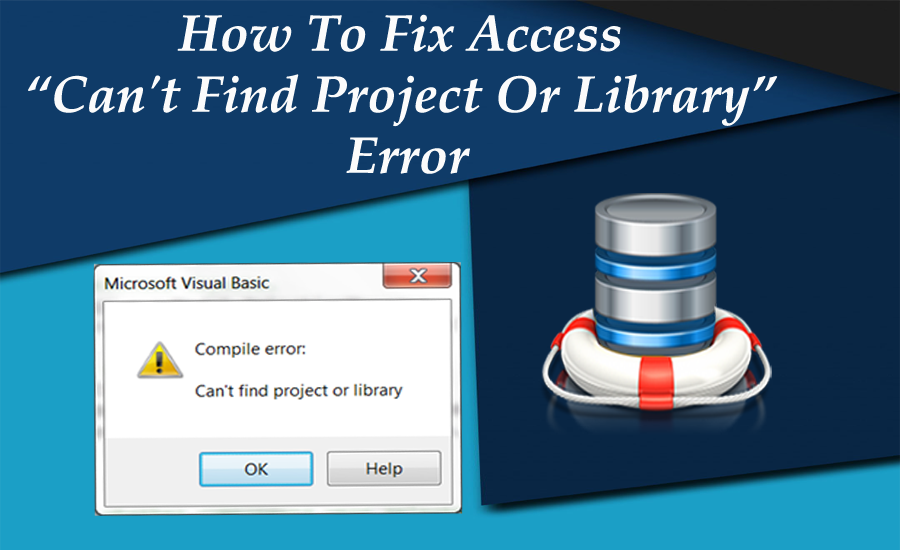
The compile errors in the Access database while running VBA code can be frustrating and leave you scratching your head for resolutions. Access compile error can’t find project or library is one such warning message that users often encounter. It occurs when a reference object or library type missing in your project (Here’s the interface of the error).
How to Fix Access “This Object Was Saved in An Invalid Format and Cannot Be Read” Error?
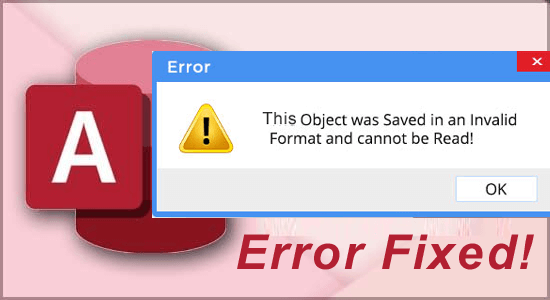
Getting stuck with errors while working on important databases can be frustrating. One such warning message that Access users may come across when trying to open, save, or edit the forms & reports in the database is “This object was saved in an invalid format and cannot be read.” It appears due to Access database corruption and other factors. In this blog, we will delve deeper into the object was saved in an invalid format error, its causes, and effective ways to resolve it.
7 Expert Tips for Access “Run Time Error 48 Error in Loading DLL”!
Encountering run time errors while handling Access databases can be a nuisance, disturbing our workflow & causing hindrance. Among these, “run time error 48 Error in loading DLL” is a common error that occurs when trying to run the query wizard, report wizard, or control wizard in Microsoft Access. In this optimized post, I will discuss the intricacies of this error, understand its causes, and explore working solutions to fix it. Here’s the screenshot of the error:
6 Insider Tips: Fixing Access Could Not Connect to The Site You Specified SharePoint!
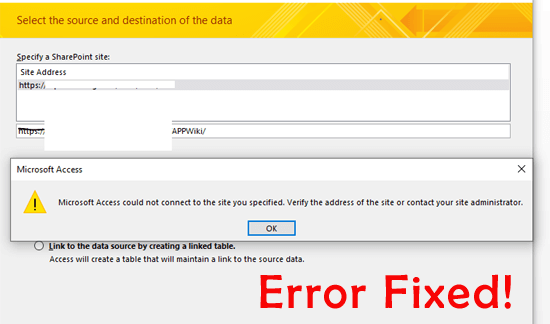
In the realm of database management, Access and SharePoint are two convenient tools. MS Access offers a platform for creating & managing databases, whereas SharePoint is a collaboration tool for storing, organizing, and sharing data within organizations. However, sometimes users may encounter the “Microsoft Access could not connect to the site you specified SharePoint.” error when trying to connect the Access database with SharePoint.
How to Repair and Recover Corrupt Access Database- Try These Methods!

Like any digital file, Access databases are vulnerable to corruption, which can disturb the workflow and result in data loss. Database corruption can happen due to several reasons like viruses or malware infections, hardware failures, software issues, etc. Well, in this blog, we will delve into the major factors of Access database corruption, signs to watch out for, and other crucial information including effective ways to repair and recover corrupt Access databases.
Unlock 9 Genius Fixes for Access Runtime Error 3125 Is Not a Valid Name!

Access runtime error 3125 is not a valid name is a common problem encountered by users when working with large MS Access databases. This error occurs while running the query or code to import data into the database or export data from the database. Understanding the causes and troubleshooting methods can help fix this error efficiently.
Resolving “Can’t Move the Focus to the Control” Error in Access

Microsoft Access can’t move the focus to the control error typically arises when the Access program encounters an issue while trying to set the focus to a specific control on a form. Besides, this warning message can also occur when:
- Trying to run a macro or VBA code
- Opening a form or report
Insider Tips: Fix MS Access “Your Network Access Was Interrupted” Error!
While handling the Access databases, it is quite common to encounter errors that can disrupt workflow. The “Microsoft Access your network access was interrupted.” is one such strange warning error. It occurs when there is an interruption in the network connection while trying to open an MS Access file from the mapped drive. This message can be frustrating as it may lead to data loss if not fixed promptly.