
Like any other software, Microsoft Access is also prone to encountering errors. One common obstacle that you may encounter is the “Invalid argument.” error. It typically occurs when you attempt to run VBA code to import/export large-sized Access database file data to the Access project. In this article, we’ll delve into the details of MS Access invalid argument error, its causes, and provide resolutions for resolving it.
Access Runtime Error 3044 Is Not a Valid Path- Solutions You Can’t Miss!
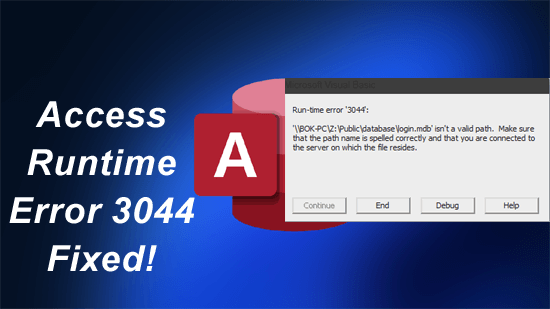
Access runtime error 3044 is not a valid path can be a frustrating obstacle for users working with Access databases. This cryptic error typically specifies an issue with file paths or permissions, stopping the database from working properly. For seamless database management, it is important to understand the error, its root causes, and effective workarounds to fix it in no time.
Fix It Fast: Access Denied to Installation Source Error Code 30015-4 (5)!

Encountering the error message- “Access denied to installation source: Sorry, we ran into a problem accessing a required file… Error Code 30015-4 (5)” can be annoying, especially when you are installing critical software or updates. This error specifies that there is a problem with accessing the source files essential for installation. (Here is the complete error along with the screenshot).
Insider Tips: How to Share an Access Database with Multiple Users?

Among various database management, MS Access stands out as a common tool due to its flexibility & user-friendly interface. However, when it comes to collaborative work environments, sharing an Access database with multiple users can pose challenges. Sharing the database online helps seamless teamwork by allowing various users to access data concurrently. In this blog, I will show you how to share an Access database with multiple users for maintaining data integrity & maximizing efficiency.
How to Fix “Access Cannot Open a Database Created with a Previous Version” Error?

As we all know, MS Access is a commonly used DBMS (Database Management System), due to its user-friendly interface & influential features. However, users may encounter an error “Microsoft Access Cannot open a database created with a previous version of your application” when trying to open the .mdb database created with previous versions of the Access software.
Access Dilemma: 7 Ways for the Database Cannot Be Opened Because the VBA Project Error!

Visual Basic for Applications (VBA) is an influential programming language embedded in MS Access. It plays a vital role in improving the database functionality, allowing users to automate tasks. But sometimes, when trying to open the Access database, users may encounter the peculiar error- “The database cannot be opened because the VBA project contained in it cannot be read.”
Fixing MS Access Join Expression Not Supported: Your Last Stop for Clarity!
When working with Access databases, encountering errors isn’t uncommon. One such infuriating error that users face is Access join expression not supported. It occurs when the database engine meets difficulties in processing the join expressions within queries. However, this message can interrupt the entire workflow & obstruct data retrieval processes.
Unlock the Power of Sorting and Filtering in MS Access!

Microsoft Access is an influential DBMS (Database Management System), which offers various outstanding features and tools to organize & manipulate data efficiently. Among these tools, sorting and filtering in MS Access stand out as essential features, empowering users to manage & analyze information seamlessly.
Discover the Fixes: Hyperlink Not Working in Access Resolved!
Hyperlinks in MS Access play a vital role in enhancing the functionality of the database & user experience by providing quick access to relevant information. However, facing issues like hyperlink not working in Access while dealing with the database can be annoying for users & hinder efficient data navigation. Well, in this blog, I will explore the root causes, and provide workable solutions to fix the Access hyperlink doesn’t work problem effectively.
Fixing MS Access “Run Time Error 94 Invalid Use Of Null”– 5 Easy Ways!

Facing run-time errors in the meanwhile handling the Access database can be distressing, especially when dealing with complex VBA code structures. The run time error 94 invalid use of null Access is one such message that often perplexes users. It typically occurs due to missing value in a field, partial installation, or corrupt download of the Microsoft Access software, etc.