7 Tested Methods Revealed – How to Open MDB File?

Ways To Open Mdb File

In Microsoft Access, a .mdb file is used to store databases. The file contains various databases such as tables, queries, forms, etc. for managing structured data. Whether you are a business professional or a student working on a project, it is essential to know how to open MDB file to access data stored within it. Well, in this tutorial guide, I will discuss different ways to open MDB files to enhance your efficiency in handling databases.

Read more

Crack the Code 3049: Fix Access Cannot Open Database It May Not Be a Database!

Instant Fixes To Resolve Access Database Error 3049

Imagine you are trying to create new records in the Access database or run an action query, and suddenly, you are struck with the warning “Microsoft Access cannot open database it may not be a database. (Error 3049).” It might trigger due to various reasons like database corruption, invalid backup to restore the DB, etc. When this critical error occurs, it disrupts the entire workflow. But don’t fret, this blog will help you to overcome this frustrating situation.

Read more

Access Reserved Error (-2037) Unveiled: Quick Fixes That Work!

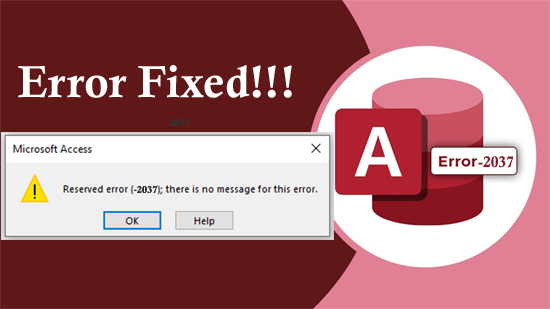
Access reserved error (-2037) there is no message for this error

Access reserved error (-2037) there is no message for this error can be a frustrating issue for users. It typically occurs when Access users try to run a macro, execute a query, or update the MDB split database. This cryptic error code often leaves users scratching their heads. Thus, if you are one such user, don’t fret, you are at the correct place.

Read more

Access Error 3146 ODBC Call Failed- Top 11 Fixes You Need to Know!

fix access runtime error 3146

The MS Access error 3146 ODBC call failed displays as a result of a faulty network connection. It occurs within the Access when setting up the associated database on an additional PC. This runtime error typically stipulates that there was a problem with an ODBC connection or an SQL query being performed. However, the most important thing is how to fix it.

Read more

9 Proven Fixes & Hacks for Access Database Form Opening Blank!

Access Database Form Opening Blank

Microsoft Access is a handy tool for managing & organizing data more efficiently. The most central functionality is form, providing a user-friendly interface for data entry & retrieval. However, there are instances where users encounter frustrating issues like- Access database form opening blank when trying to open the form. This puts a pause on their workflow. In this blog, we will delve into the roots of this problem & emphasize the effective workarounds to fix it.

Read more

Error Solved- Microsoft Access Cannot Find the Referenced Form (Error 2450)

Microsoft Access “Cannot Find The Referenced Form” (Error 2450)

Microsoft Access relies on forms, which assist as a user-friendly interface to interact with databases. But sometimes, the software fails to find a referenced form in the database, it displays a Microsoft Access cannot find the referenced form error that disrupts the functionality of the database. Thus, if you are facing this warning message, then don’t fret, you are in the correct place.

Read more

8 Solutions for Fixing Runtime Error 2501 in MS Access Easily!

Fixing Runtime Error 2501 in MS Access

In MS Access, runtime errors can be the stumbling blocks that interrupt the seamless working of databases. One such error is “run time error 2501: The OpenReport action was canceled.” In this blog, I have equipped the intricacies of this error, exploring its common causes, and effective strategies to solve the runtime error 2501 MS Access.

Read more

Access Hacks: Conquer “Runtime Error 49 Bad DLL Calling Convention”!

Fix Access Error 49 - Bad DLL Calling Convention

Microsoft Access runtime error 49 bad DLL calling convention typically occurs when there is a mismatch in the calling convention between a DLL (Dynamic Link Library) and the app calling it. This warning message can interrupt the normal functioning of Access software, leading to frustration for users. Therefore, it is necessary to address this problem to maintain the stability of the Access database.

Read more