
In MS Access, navigating large datasets can get frustrating. When you scroll across the extensive tables, significant columns often disappear from view. To avoid this, Microsoft Access provides a useful feature known as column freezing. This simple technique locks your selected column(s) in place, keeping vital data visible as you scroll. In this blog, I will show you how to freeze a column in MS Access or how to unfreeze a column in Access effortlessly.
How to Unhide Hidden Objects in Access Database? – (2025 Guide)

Microsoft Access is an excellent database tool, which is mainly used to organize and list out the information, and it also helps users to prepare various types of designed reports. But sometimes objects like tables, queries, forms, or reports get hidden. Unhiding them is crucial for editing purposes. Here’s a complete step-by-step guide on how to unhide hidden objects in Access database quickly and easily.
9 Ways for MS Access 3035 System Resource Exceeded Error!

Stuck with the peculiar Access 3035 system resource exceeded error? Well, this message occurs when MS Access runs out of certain resources of a system. This can happen while executing complex queries, running forms, or accessing large databases.
Fixing Microsoft Access Database Not Updating Issue- 2025 Guide!

Is your MS Access update query not working? This occurs when you attempt to update data in an Access table, query, form, record, or other object. However, facing this issue can be frustrating, and it can be fixed easily with some proven solutions. In this exclusive guide, you will learn various ways to resolve the Microsoft Access database not updating issue quickly and with minimal effort.
Fixed- Access “You Do Not Have Exclusive Access to The Database at This Time” Error!
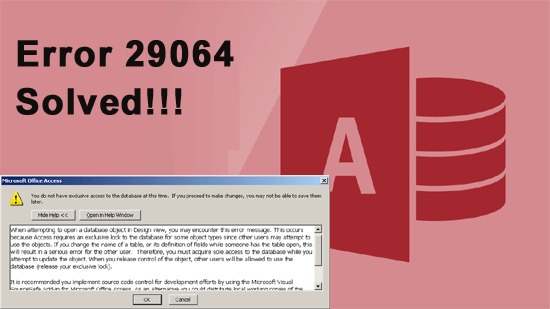
You may face the “you do not have exclusive access to the database at this time” error message when handling the Access database. This error occurs when multiple users attempt to access a specific database object (tables, queries, reports, or forms) simultaneously. However, it is important to address this problem ASAP. In this blog, you will learn why the error below occurs and how to fix it successfully.
How to Insert Header and Footer in Microsoft Access? –(2025)

Want to know how to insert header and footer in Microsoft Access? Well, adding headers and footers in Access forms and reports improves your database’s structure and presentation. Thus, if you also want to add a header and a footer in MS Access, you are in the right place. This helpful guide walks you through the exact steps to insert them easily.
MS Access Merge Tables- How to Merge Tables In Access?

Want to know how to merge tables in Access database? Combining the data from the databases in Access helps you create an effortless overview of a huge amount of data and keep your database organized. However, Access database offers 3 ways to combine tables or consolidate rows/columns in the primary database tables. In this blog, I will mention the step-by-step instructions for merging Access database tables easily.
Access AutoCorrect Feature Not Working – You’ve Been Doing It Wrong!

In Microsoft Access, AutoCorrect is a tremendous feature that helps to automatically fix certain types of errors or inconsistencies in the database objects, such as tables, forms, queries, and reports. When you enable the Autocorrect feature in MS Access, it can correct problems like field names, data types, etc. But sometimes, the Access AutoCorrect not working even when this feature is enabled. In this write-up, I will discuss solutions to potentially solve this issue in no time.
How to Backup Access Database Automatically & Restore It Later?

Want to protect your Access database data? Encrypting the database is not just enough? Well, losing data can cripple your operations. Regular backups protect your work, save time, and reduce stress. Whether you’re managing small business data or personal records, maintaining a proper Access database backup is equally important.
How to Remove Duplicates in Access 2013/2016/2019?
Duplicate data often arises when multiple users enter data into the database simultaneously or if the database was not designed to check for duplicates. The easiest way to remove duplicate access records is by making use of the query. This post describes how to remove duplicates in Access with ease.